CRANE PICK 2.0 • TESTFLIGHT BETA

Crane Pick
Lift planning tools by CEJA Engineering
HOW IT WORKS
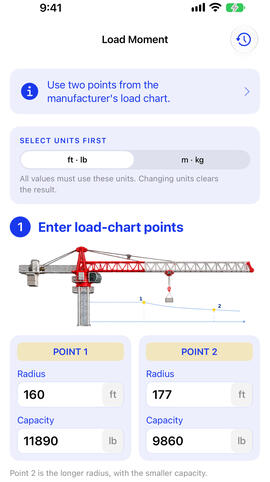
Enter two rows from the manufacturer’s load chart and your planned lift. Crane Pick shows the estimated capacity at your radius, how much of that capacity the load uses, and the remaining margin.
01 — ENTER LOAD-CHART POINTS
Enter two surrounding rows from the manufacturer’s load chart: radius and capacity for Point 1 and Point 2.02 — ENTER THE PLANNED LIFT
Enter the target radius and total load weight using either ft · lb or m · kg.03 — REVIEW THE RESULT
See the estimated capacity, load moment percentage, remaining margin and radius at 100%.
TOOLS FOR THE JOB SITE
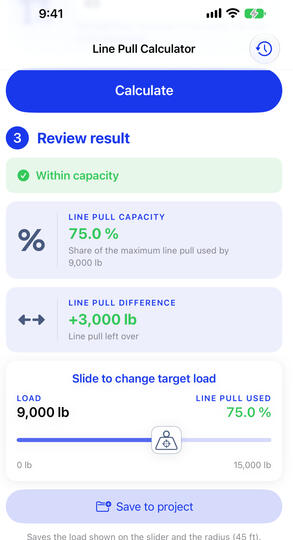
LINE PULL
Check how much of the hoist’s maximum line pull a load uses. Adjust the load, review the remaining margin and save the result to a project.
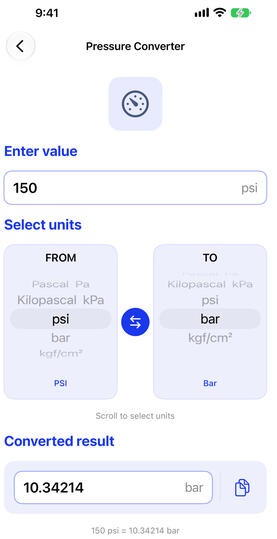
UNIT CONVERTER
Convert distance, mass, power, pressure and torque with simple FROM and TO controls, one-tap swap and copy.
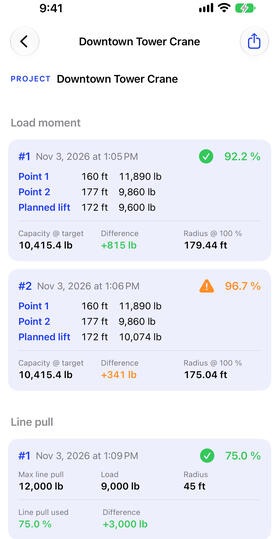
PROJECTS & PDF REPORTS
Save load moment and line pull results by project. Share a PDF report containing every input and result with the lift file or site team.

TESTFLIGHT BETA
The replacement version of Crane Pick is currently being tested. The public TestFlight invitation, pricing and App Store release date will be added when available.
SAFETY BOUNDARY
Crane Pick is a planning aid. Results are estimated between two manufacturer load-chart points and must always be confirmed against the manufacturer’s load charts, the crane’s exact configuration, the approved lift plan and site procedures.
• Use the load chart assigned to the specific crane and configuration.
• Verify every input and result before performing a lift.
• Do not use a target radius outside the two selected chart points.
• Stop if actual conditions differ from the approved plan.Crane Pick does not replace qualified-person review, manufacturer instructions or applicable regulations.
TUTORIALS
Learn how to enter manufacturer load-chart points, review load moment, adjust radius and load, check line pull, save project records and use the unit converter.
Questions, comments, suggestions please contacts us.
(mailto:[email protected])